

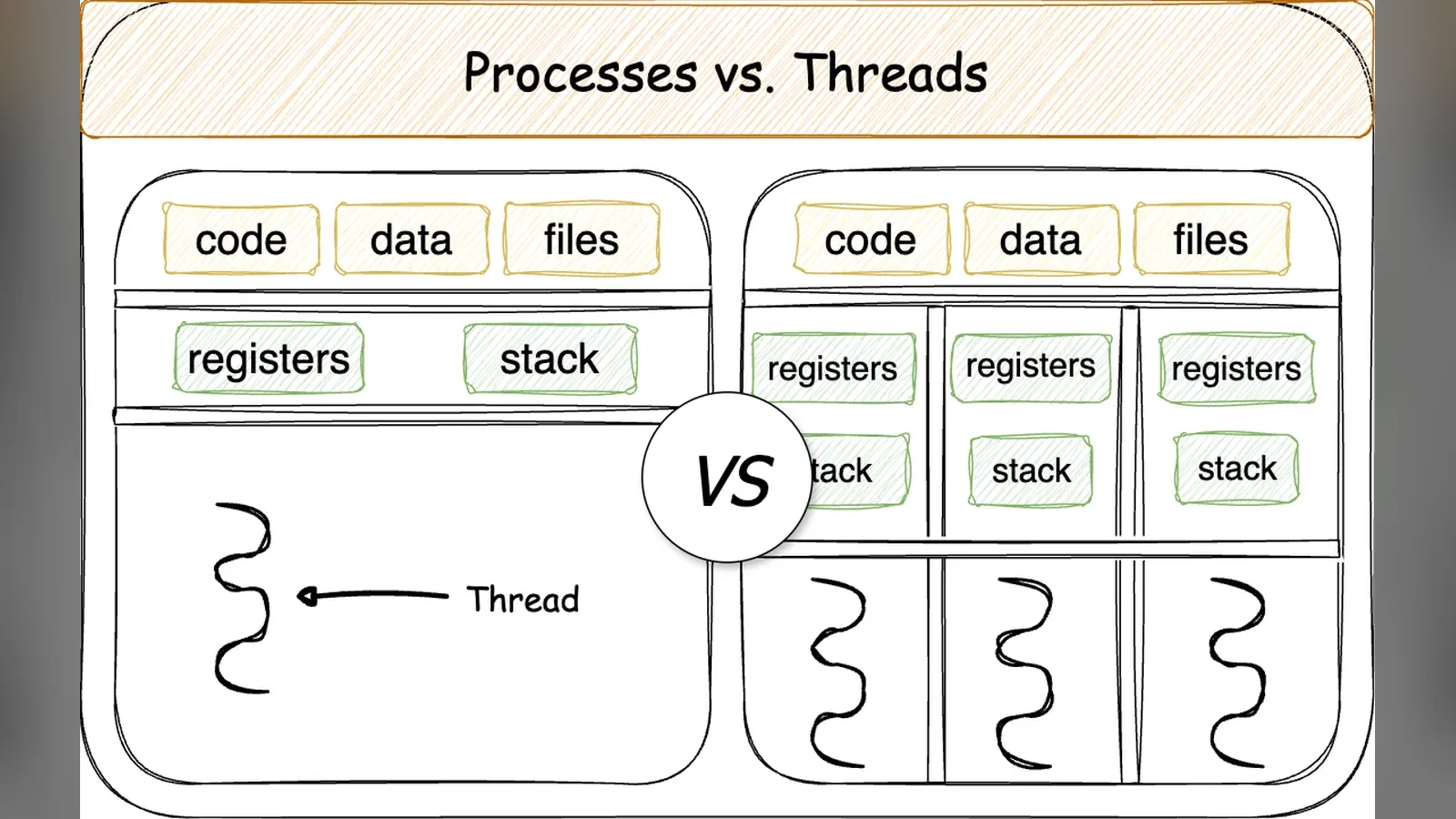
Your computer has 8 cores but is running hundreds of processes. There’s no magic here: the operating system’s kernel slices CPU time into very thin slices and alternately allocates them to each process.
Where is the divergent process?
Processes have their own address spaces. Two processes cannot read each other’s memory, so if one crashes, the other remains running. On the other hand, exchanging data requires using a pipe, a socket, or shared memory—all of which are resource-intensive.
Threads run within the same process and share memory. Data exchange simply involves reading from and writing to the same memory region, which is very fast, but in return, you must handle memory contention yourself.
Time Lags and Context Shifts
- Each thread is allocated a time slice, typically a few milliseconds
- When the time slice ends, the kernel flushes all registers and loads the registers for the next thread—a process called context switching
- Each context switch takes about a few microseconds, plus the overhead caused by the CPU cache becoming stale
Therefore, creating too many threads actually slows things down: the CPU spends most of its time switching back and forth instead of actually performing calculations.
Why Does It Still Run Smoothly Even With 100 Tabs Open?
Most tabs are in a waiting state rather than performing calculations—waiting for a network connection, waiting for you to scroll, or waiting for a timer to expire. A thread in a waiting state does not consume CPU resources; the kernel removes it from the queue until the event occurs.
A computer rarely slows down due to a lack of CPU power. It’s usually because of insufficient RAM, which forces the system to swap data to the hard drive, or because a process is monopolizing the hard drive.
Try it out on your computer
ps -eLf | wc -l          # tổng số luồng đang có
vmstat 1 5               # cột cs = số lần chuyển ngữ cảnh mỗi giây
pidstat -w 1 3           # tiến trình nào chuyển ngữ cảnh nhiều nhất
If the column cs reaches hundreds of thousands per second while the computer isn’t doing anything taxing, it’s almost certainly because some software is running unnecessarily.
Thảo luận